OV-chipcard
De OV-chipkaart is het betaalmiddel voor het openbaar vervoer in Nederland. Met een opgeladen OV-chipkaart op zak reis je in alle bussen, trams en treinen. Dit kan bij HTM maar ook bij alle andere OV-bedrijven in Nederland. Zorg ervoor dat je steeds voldoende geld (saldo) of een reisproduct op je OV-chipkaart hebt en je hoeft alleen nog in- en uit te checken!

Are you already familiar with the OV pass?
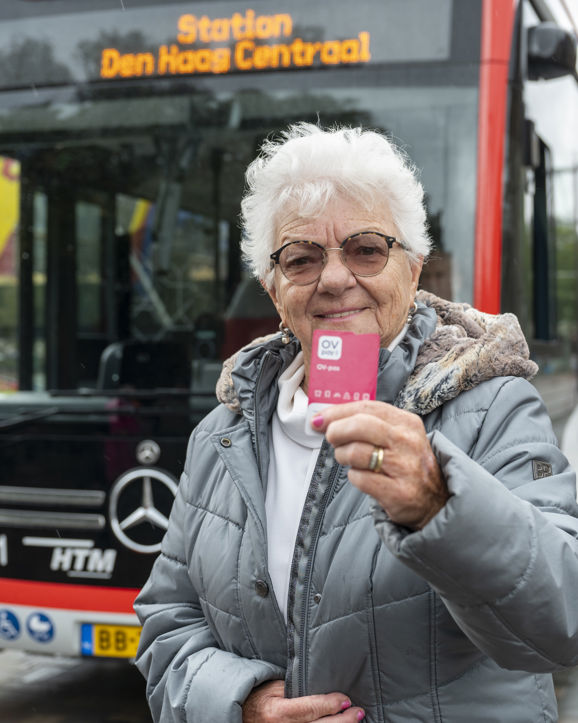
De OV-pas is de opvolger van de OV-chipkaart. Met deze nieuwe roze pas check je overal in Nederland in en uit in trein, tram, bus en metro. De OV-pas werkt hetzelfde als de OV-chipkaart, maar dan een stuk makkelijker.
Purchase of OV chip card
What types of OV-chipkaart are there?
There are various cards that allow you to travel anywhere on public transport.
- The new OV-pas
The OV-pas is the new card that replaces the OV-chipkaart on public transport in the Netherlands. Passengers who pay the full fare or travel with an age discount can already use the OV-pas. The great thing about the OV-pas is that you can top up your balance online 24/7, so you no longer need to visit a ticket machine. Find out more.
- Anonymous OV-chipkaart.
This card is not available anymore and will be replaced by the OV-pas.
The anonymous public transport chip card is not personalised. It is also not possible to add season tickets or age discounts to the card; you travel with the balance that you add to the card yourself at a ticket machine.
- Personal OV-chipkaart
Do you travel frequently by public transport? Then a personal OV-chipkaart is useful for you. You can add various travel products to this OV-chipkaart and take advantage of age discounts. You can also top up the balance automatically. Read more about the personal OV-chipkaart. Before you apply for the OV-chipkaart, first check whether the new OV-pas might be more suitable for you.
How to purchase an OV-chipkaart?
Are you about to buy an OV-chipkaart? Then check out the new OV-pas first. The OV-pas replaces the OV-chipkaart in public transport in the Netherlands. The great thing about the OV-pas is that you can top up your balance online 24/7, so you no longer need to visit a ticket machine. The OV-pas costs only €6. Find out more.
Where do I buy an OV-chipkaart?
You can buy a personal OV-chipkaart:
- Online: www.ov-chipkaart.nl
- By post: collect an application package from an HTM Service Shop.
You will receive a personal OV-chipkaart by post.
You can buy the new OV-pas:
- Online: ovpay.nl/ov-pas. You can top it up straight away when you buy it, and the pass will be sent to your home.
- At an HTM Service Centre
How do I add credit to my OV-chipkaart?
You can put money on your OV-chipkaart in 3 ways:
Automatic top-up
With automatic top-up, the balance on your personal OV-chipkaart is automatically topped up from your bank account as soon as your balance falls below €4. You can choose a fixed top-up amount of €10, €20 or €50. This ensures you always have enough credit to check in.
You can set up automatic top-up via your personal account on OV-chipkaart.nl.
NS vending machines
You can recharge your OV-chipkaart with a bank card or credit card at the NS vending machines at train stations. Here you can also buy NS travel products to put on your OV-chipkaart.
HTM service shop
At all HTM service shops you can put money on your OV-chipkaart and buy a monthly season ticket. Here you pay with a bank card, cash or with a credit card.
Want to know where the nearest ticket machine is? Find one nearby.
How do I automatically put balance on my OV-chipkaart?
If you choose automatic balance, there is always enough balance on your OV-chipkaart. As soon as the balance on your OV-chipkaart is too low for the journey you are checking in for, an amount is automatically transferred from your bank account to your OV-chipkaart. You can choose this amount yourself. You can request an automatic balance via ov-chipkaart.nl.
Please note: automatic balance is only possible with a personal OV-chipkaart.
Traveling with the public transport chip card
How do I travel with the OV-chipkaart?
Checking in:
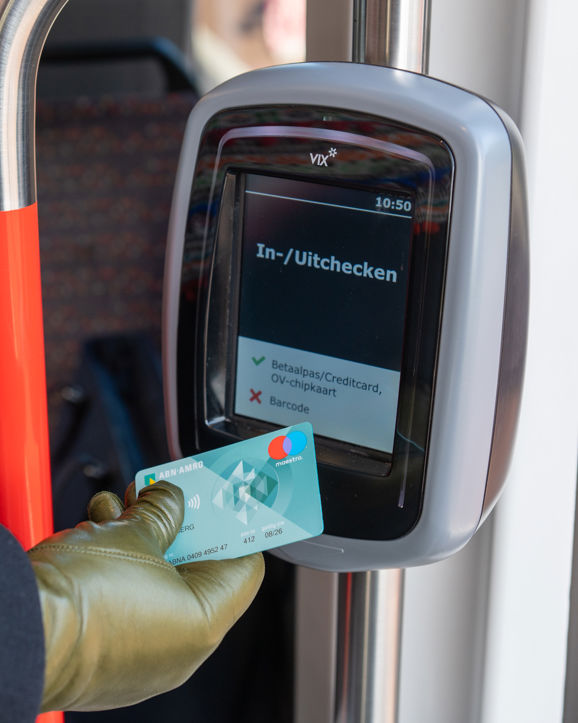
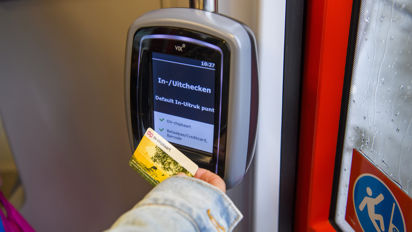
- At the start of your journey, you check in at a card reader on the bus or tram. You do this by holding your OV-chipkaart in front of the pink logo on the card reader.
- Wait until you hear the beep. When you have checked in correctly, you will see the text Incheck OK.
- The card reader checks whether you have enough balance or a valid travel product to travel. The boarding fare of €4 will now be automatically deducted from your balance.
Checking out:
- As soon as you leave the tram or bus, you check out again. Hold your OV-chipkaart in front of the pink logo on the card reader again.
- Wait until you hear 2 beeps. When you have checked out correctly, you will see the text Uitcheck OK.
- The card reader calculates the amount you have to pay for the journey. This amount is automatically offset against the boarding fare of €4. The screen of the card reader shows how expensive the journey was and how much money is left on the OV-chipkaart.
What do I do if I need to switch?
Are you changing to another HTM tram or bus? Then you do not have to pay the basic fare again. As long as the time between checking out on the first bus or tram and checking in on the next bus or tram is less than 35 minutes, you only pay the basic fare once.
Where can I view my travel history?
Check the OV-chipkaart website.
How much balance should I have on my OV-chipkaart to travel with public transport?
It is important to have sufficient balance when checking in. Make sure the balance is at least € 0 (i.e. not in the minus). Is the balance too low to check in? Load up your OV-chipkaart and start your journey.
Please note: with the Ooievaarspas and Studenten OV there is no minimum balance.
Cost of the OV chip card
What does an OV-chipkaart cost?
A personal OV-chipkaart cost €7.50. The new OV-pas costs €6.
You can travel as soon as there is credit or a travel product on the card.
What are the travel costs?
With OV-chipkaart, you pay for what you travel: a fixed boarding rate + a fixed rate per kilometre.
How do I check the balance on my OV-chipkaart?
You can check the balance in 3 ways:
- While checking out
When you check out, you will see the fare and how much balance is left on the card.
- NS ticket machines
NS ticket machines can be found at all railway stations. At these machines you check your balance and buy NS travel products. Pay at these machines with your bank card, credit card or coins.
- HTM Service Shops
You can also check your balance at HTM Service Shops. Here you can also put money on your OV-chipkaart, buy a monthly pass or collect orders from OV-chipkaart.nl. Payment is done here with a bank card, coins or notes or with a credit card.
Want to know where the nearest ticket machine is? Then take a look at this map.
Troubleshooting
I can't check out or forgot. What now?
- Did you forget to check out? Go to uitcheckgemist.nl
- Are you travelling with a business OV-chipkaart? For a missed check-out, go to the refund form.
- Please note: this does not apply to an NS Businesscard.
- Is the card reader faulty or did you pay too much? Then go to the refund form. Of course, you can also drop by one of the HTM Service Shops.
- Do you see 'switch' on the card reader when you check out? You may have accidentally checked in again. Check out again. Was an incorrect amount still debited? If so, go to the refund form.
- TIP: Never miss a forgotten check-out again with the Uitcheck gemist alert! You will be notified immediately to request a refund.
I have lost my OV-chipkaart / my OV-chipkaart has been stolen. What now?
- Anonymous OV-chipkaart
Because the anonymous public transport chip card is not personalised, you are not insured against loss or theft. Unfortunately, you will lose the money that was on the public transport chip card.
The replacement for the anonymous OV-chipkaart is the OV-pas, which costs €6.
- Personal OV-chipkaart
Don't worry, the products on your OV-chipkaart are insured against loss and theft. You do have to block the OV-chipkaart immediately. You do this by:
- Calling OV-chipkaart Customer Service (available on 0900 - 0980, closed at the weekend). Your OV-chipkaart will be blocked the next day.
- Submit a blocking request in your account on ov-chipkaart.nl. Your OV-chipkaart is blocked within 24 hours.
Regulation Regio Jaarabonnement
Is there a Regio Jaarabonnement on the lost or stolen OV-chipkaart?
To bridge the time you have to wait for a replacement OV-chipkaart, you can borrow a temporary OV-chipkaart with a season ticket from HTM. You pay a € 25 deposit for this. Go to an HTM service shop for this.
My OV-chipkaart is broken. What now?
Is your OV-chipkaart no longer working properly? Go to an HTM Service Shop or NS Balie to check what is wrong. The staff will check your card and give advice on what to do next. There are several options:
- Anonymous OV-chipkaart
Is your Anonymous OV-chipkaart broken? You can terminate the card. Don't forget to ask for the balance of your OV-chipkaart back! Do this via the OV-chipkaart website or ask for a form at an HTM Service Shop. If you would like to purchase a new card, please choose the new OV-pas.
- Personal OV-chipkaart
Is your personal OV-chipkaart broken? You can request a new card on theOV-chipkaart website. This will cost you €11. Subscriptions and/or automatic recharging will be transferred to the new OV-chipkaart.
Depending on which products you have on your public transport chip card, the new public transport pass may be a better solution for you.
My OV-chipkaart has (almost) expired. What now?
Both an anonymous and a personal OV-chipkaart are valid for 5 years. Check the expiry date on the OV-chipkaart. After this date you can no longer travel with this OV-chipkaart. Is there still balance on the anonymous OV-chipkaart after this date? Then reclaim the balance.
- Personal OV-chipkaart
Will your OV-chipkaart expire within 6 weeks? Check the conditions on ov-chipkaart.nl. For a renewed OV-chipkaart you pay € 7.50 via iDEAL. Don't forget to upload a new passport photo. The balance on the old OV-chipkaart will be refunded to your bank account 15 working days after the card expires. Subscriptions and Automatic Recharging will automatically be transferred to the new card. When you check in for the first time with the new card, the card will be automatically recharged immediately.
Depending on which products you have on your public transport chip card, the new public transport pass may be a better solution for you.
- Anonymous OV-chipkaart
You cannot renew an anonymous OV-chipkaart. The expired card is automatically terminated. You can apply for a new personal OV-chipkaart, but it is smarter to switch immediately to the new OV-pas that replaces the public transport chip card. Do not forget to ask for the balance remaining on the old card. You can only request the balance via the website, not at an HTM Service Shop. Read more about an expired OV-chipkaart here.
There is sufficient balance on my OV-chipkaart but checking in does not work: I get an error message. Where should I hold the card against?
I am sorry that checking in is not working properly! Check whether you are holding your OV-chipkaart in front of the bottom of the card reader. This often solves the error message.
How do I ask for a refund due to a delay?
If the delay exceeds 30 minutes, you can claim a €3 refund.
An incorrect amount was debited after my ride, what now?
Has your OV-chipkaart or debit card been charged too much for a ride? Or were you unable to check in or out? Then you can request a refund.
I lost my personal ov-chipkaart with a monthly subsription What should I do?
Have you lost your personal ov-chipkaart? Have your card blocked as soon as possible via ov-chipkaart.nl. Then request a replacement card (not a new card).
Your pass will be automatically transferred to your replacement card.
Please note:
Until you receive your new card, you will have to cover your own travel costs temporarily.
My personal ov-chipkaart with a monthly subscription is broken. What should I do?
Is your ov-chipkaart broken? Block the card via ov-chipkaart.nl and request a replacement card.
Your pass will be automatically transferred to your replacement card.
Is your pass still valid for at least 14 days? If so, you can get a temporary card at an HTM Service Shop in the meantime so you can continue traveling.
My personal ov-chipkaart with an annual subscription is broken or lost. What should I do?
Have your card blocked via ov-chipkaart.nl and then request a replacement card.
Your pass will be automatically transferred to your replacement card.
Is your pass still valid for at least 14 days? If so, you can pick up a temporary card at an HTM Service Shop so you can continue to travel.
Travel the way you want with OVpay
In- en uitchecken met je betaalpas, creditcard, mobiel of OV-pas